BOM Cost Rollup

Calculate accurate build costs across every BOM level and sourcing scenario, so engineering, sourcing, operations, and finance teams always know exactly where they stand.
Get the demo
Accurate Build Cost Data Drives Smarter Product Decisions
What is Cost Rollup?
Cost rollup is the process of calculating the total manufactured cost of an assembly by aggregating each component's unit cost, multiplied by quantity, through every level of the bill of materials. Modern manufacturers rely on Propel’s quick and accurate cost rollup for sourcing strategy, margin control, and design-to-cost discipline across the product lifecycle.
Design-to-Cost Discipline
Sourcing decisions backed by real BOM cost data give engineering and finance teams a shared baseline for margin targets before a product ever ships.
Real-Time Sourcing Visibility
Up-to-date cost data tied to approved manufacturer selections gives sourcing teams the clarity to evaluate alternatives and lock in the best build economics.
Historical Cost Accuracy
Point-in-time rollup calculations preserve what products cost at any moment, supporting audits, repricing decisions, and quarter-over-quarter trend analysis.

Propel Calculates Build Cost Across Every BOM Level

Live BOM Cost Rollup
Propel's cost rollup engine multiplies each component's cost by quantity and aggregates it through every assembly level automatically. Trigger it on demand or schedule it daily, weekly, or monthly. Rolled-up totals surface on the Item header, Details Tab, and BOM Tab, ready for reporting and sourcing review.
Multi-Source Allocation
When a BOM position has multiple approved manufacturers, Propel's % Allocation field distributes cost across each source proportionally. If allocations don't total 100%, the system blocks the rollup and flags the error, so no inaccurate figure makes it into a build analysis or financial report.
Historical Cost Intelligence
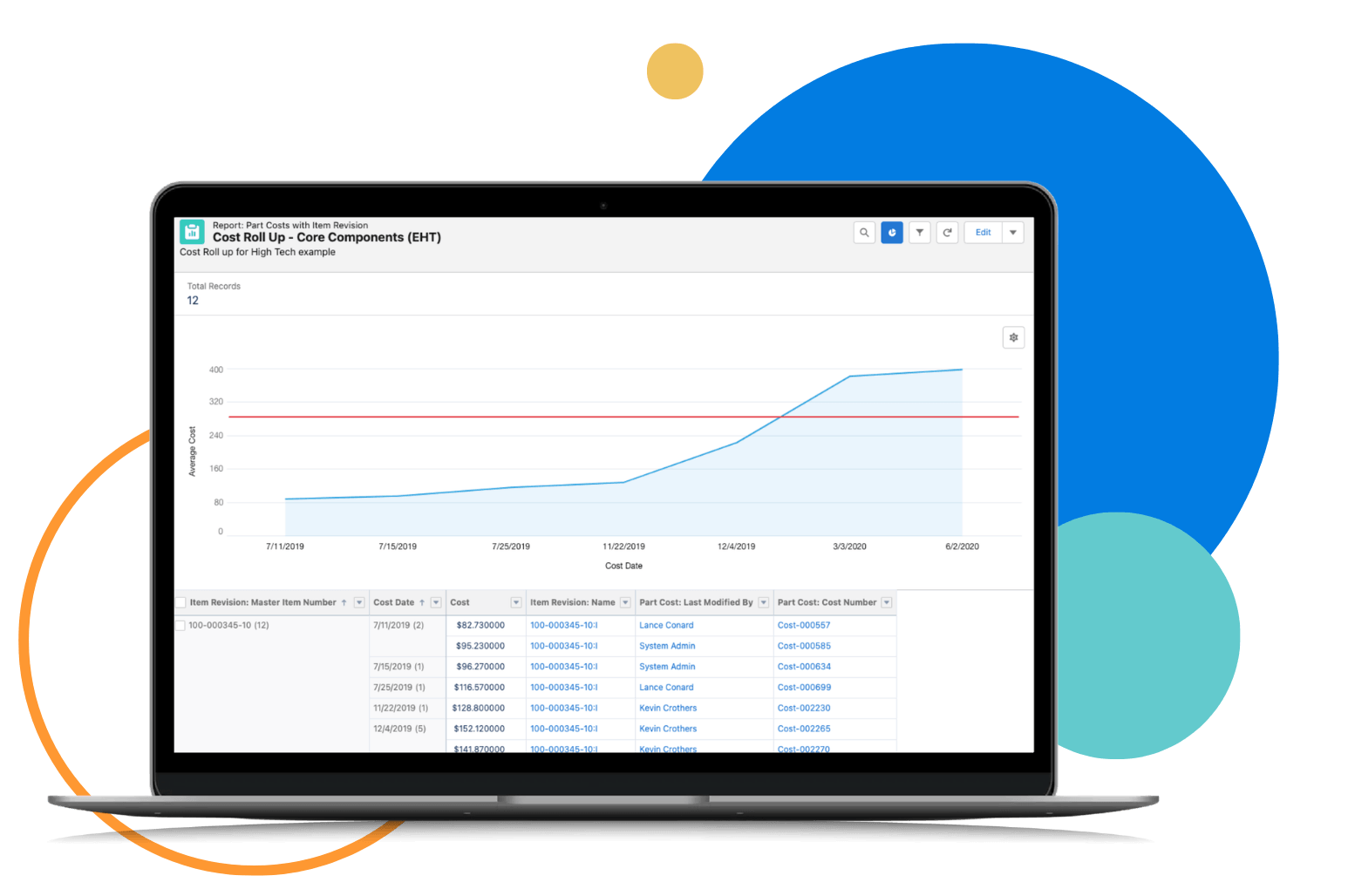
Propel supports as-of-date rollup calculations using the BOM structure and component revisions active at any historical point. Combined with Part Cost History records, teams can track quarter-over-quarter cost trends, support audits, and benchmark supplier pricing with precision over time.
See Propel's unified platform in action
You already have the product data. See what becomes possible when it's all connected.
Take product tour
More Capabilities
Cost Import
Bulk-load Item, BOM, and AML cost records via import, then trigger a Cost Refresh to recalculate rollups at scale. Eliminates manual entry when processing quarterly pricing updates from a CM, ODM, or distributor.
Edit Cost on BOM Tab
Update manufacturer part cost and allocation directly from the BOM's flattened AML view without navigating to individual part records. Built for sourcing managers working through cost-reduction spreadsheets quickly and accurately.
Substitute Cost Allocation
Distribute cost across a primary item and its substitutes using the Item Allocation field on the Assembly object. The rollup reflects a blended cost when multiple sourcing options occupy the same BOM position.
Part Cost History
Store and retrieve individual cost records per manufacturer part by cost type and date. Enables quarter-over-quarter pricing analysis and long-term cost trend reporting across the full supplier base.
Component Insights
Access real-time component availability, datasheets, and compliance risk data natively inside the BOM. Supports informed sourcing decisions that directly influence cost rollup inputs and approved manufacturer selections.
Concept To Customer Solutions for Fast-Moving Product Companies
Propel PLM
Cloud-native, role-based, and easy-to-use product lifecycle management enables enterprise-wide collaboration so teams work smarter, faster, and better together.
how it works
Component Insights
Supply chain intelligence surfaces component risk, availability, and compliance in your BOM so teams make smarter sourcing decisions before products are built.
how it works
Supplier Community
Secure partner management extends quality workflows, BOM collaboration, and supplier onboarding across your value chain so you launch better products faster.
how it works
FAQ
How does Propel handle cost rollup when a BOM position has multiple approved manufacturers?
Propel's % Allocation field distributes cost contribution across each approved manufacturer proportionally for a given BOM row. If the allocations across all selected sources don't total 100%, Propel blocks the rollup and surfaces an error before any inaccurate cost propagates through the assembly hierarchy.
Can Propel calculate what a product cost at a specific point in time?
Yes. Propel's as-of-date cost rollup capability applies the BOM structure and child item revisions that were effective on a specified historical date. This is essential for audit support, margin analysis across product generations, and financial reporting tied to specific production or fiscal periods.
How do teams load large volumes of cost data into Propel without manual entry?
Propel's Cost Import capability supports bulk loading of Item, BOM, and AML records in a single operation. Once data is imported, a Cost Refresh action recalculates rollups across all affected assemblies. Sourcing managers can also update costs and allocation percentages directly from the BOM Tab's flattened AML view, eliminating the need to open individual manufacturer part records.